ip
Schedulo User Guide
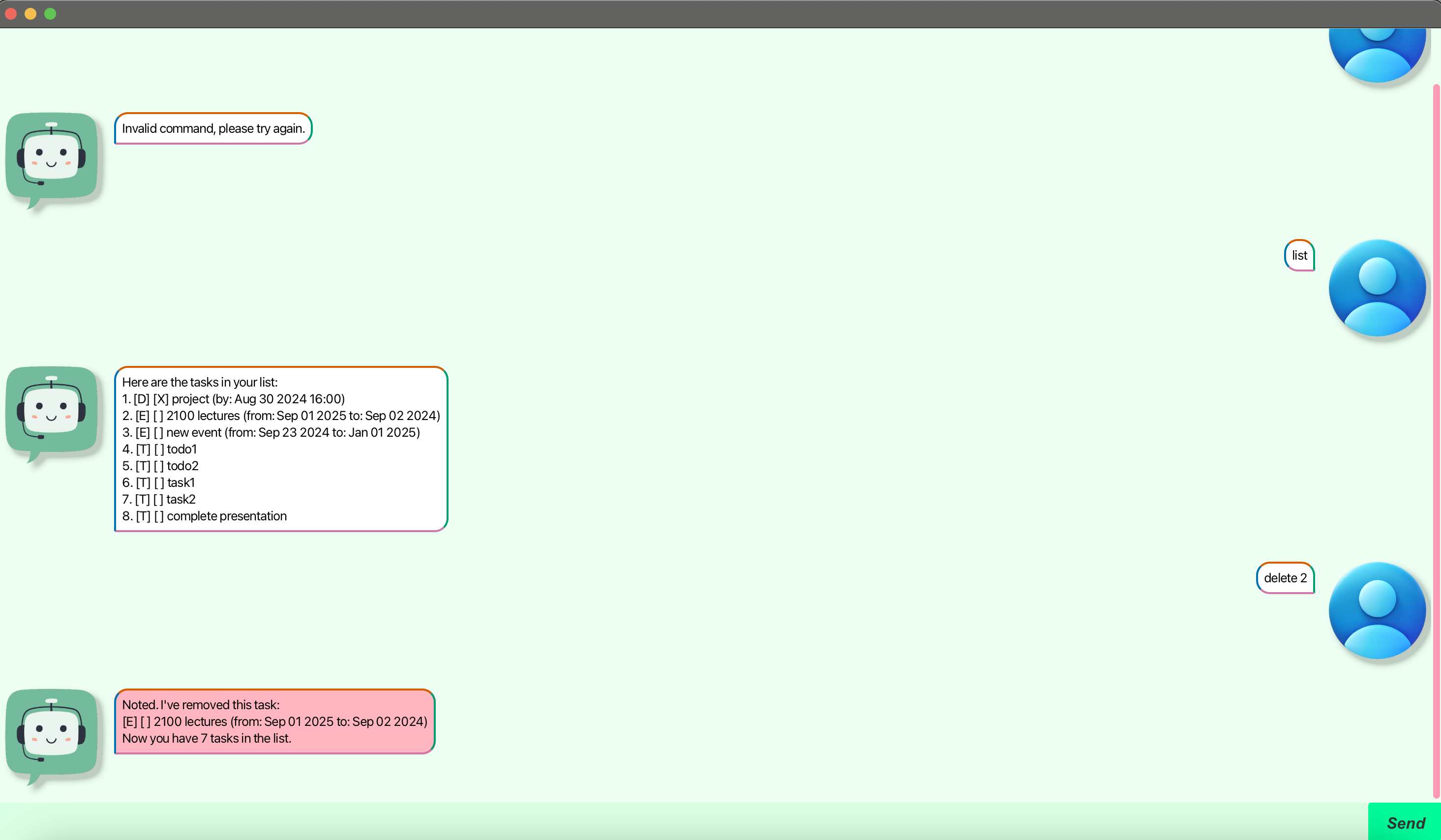
Introduction
Schedulo is a simple yet powerful task management application that helps you keep track of your to-dos, deadlines, and events. It offers an intuitive gui interface where you can manage your tasks efficiently. Schedulo allows you to add, delete, find, and list tasks, making it easier to stay organized and focused.
Features
1. Adding Tasks
Schedulo allows you to add various types of tasks to your task list:
- To-Do: A task without a specific date/time.
- Deadline: A task with a specific deadline.
- Event: A task that occurs within a specific time frame.
Adding a To-Do
To add a simple to-do task:
todo <task_description>
Example:
todo read book
Expected Outcome:
Got it. I've added this task:
[T][ ] read book
Now you have 1 task in the list.
Adding a Deadline
To add a task with a specific deadline:
deadline <task_description> /by <date>
Example:
deadline submit assignment /by 2024-09-01
Expected Outcome:
Got it. I've added this task:
[D][ ] submit assignment (by: Sep 01 2024)
Now you have 2 tasks in the list.
Adding an Event
To add a task that spans a specific time frame:
event <task_description> /from <start_date> /to <end_date>
Example:
event project meeting /from 2024-09-01 /to 2024-09-02
Expected Outcome:
Got it. I've added this task:
[E][ ] project meeting (from: Sep 01 2024 to: Sep 02 2024)
Now you have 3 tasks in the list.
2. Listing All Tasks
To display all tasks in your list:
list
Expected Outcome:
Here are the tasks in your list:
1. [T][ ] read book
2. [D][ ] submit assignment (by: Sep 01 2024)
3. [E][ ] project meeting (from: Sep 01 2024 to: Sep 02 2024)
3. Marking Tasks as Done
To mark a task as done:
mark <task_number>
Example:
mark 1
Expected Outcome:
Nice! I've marked this task as done:
[T][X] read book
4. Unmarking Tasks as Not Done
To unmark a task:
unmark <task_number>
Example:
unmark 1
Expected Outcome:
OK, I've marked this task as not done yet:
[T][ ] read book
5. Deleting Tasks
To delete a task:
delete <task_number>
Example:
delete 2
Expected Outcome:
Noted. I've removed this task:
[D][ ] submit assignment (by: Sep 01 2024)
Now you have 2 tasks in the list.
6. Finding Tasks by Keyword
To find tasks that contain a specific keyword:
find <keyword>
Example:
find book
Expected Outcome:
Here are the matching tasks in your list:
1. [T][ ] read book
7. Adding Multiple To-Dos
To add multiple to-dos at once:
addmultipletodos <task1>, <task2>...
Example:
addmultipletodos buy groceries, make presentation
Expected Outcome:
Got it. I've added the todos
You can then check using the list command.
8. Help command
Use the help command to easily view all the commands available at your fingertips!
8. Bye command
Use the bye command to easily exit the application!
Conclusion
Schedulo is a straightforward yet effective tool to help you manage your tasks. With features like adding different types of tasks, marking them as done, and finding tasks by keywords, Schedulo is designed to help you stay organized. We hope you find it useful!